How to access an Online Workshop
Here is how to access your Online Workshops with us:
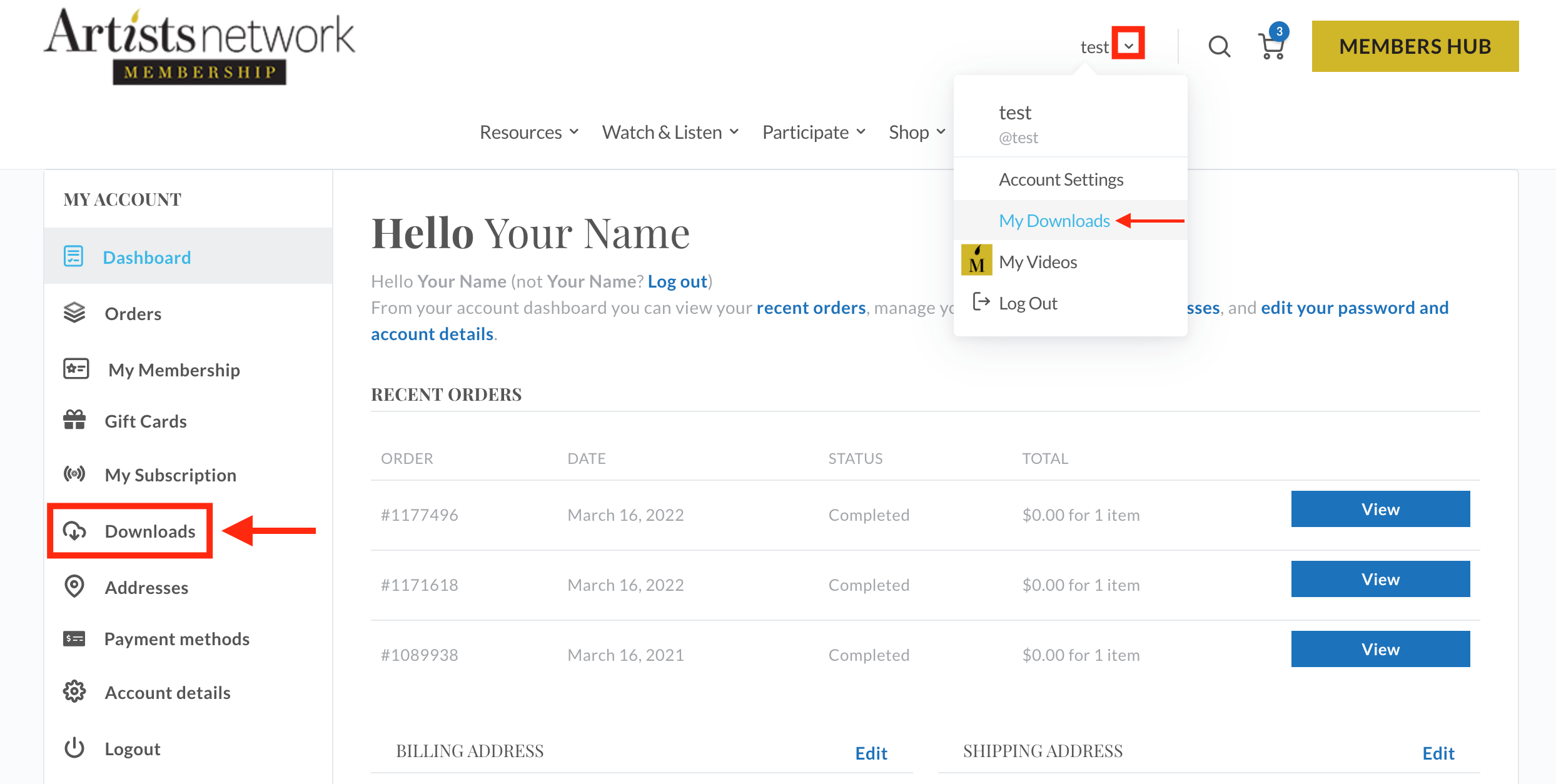
- Go to https://www.artistsnetwork.com/my-account/
- Login with your email/username and password.
- After logging in, you will be brought to your Account Dashboard. In the left-hand menu click Downloads. Or while shopping, click on 'Your Name' in the upper right and select My Downloads from the dropdown.
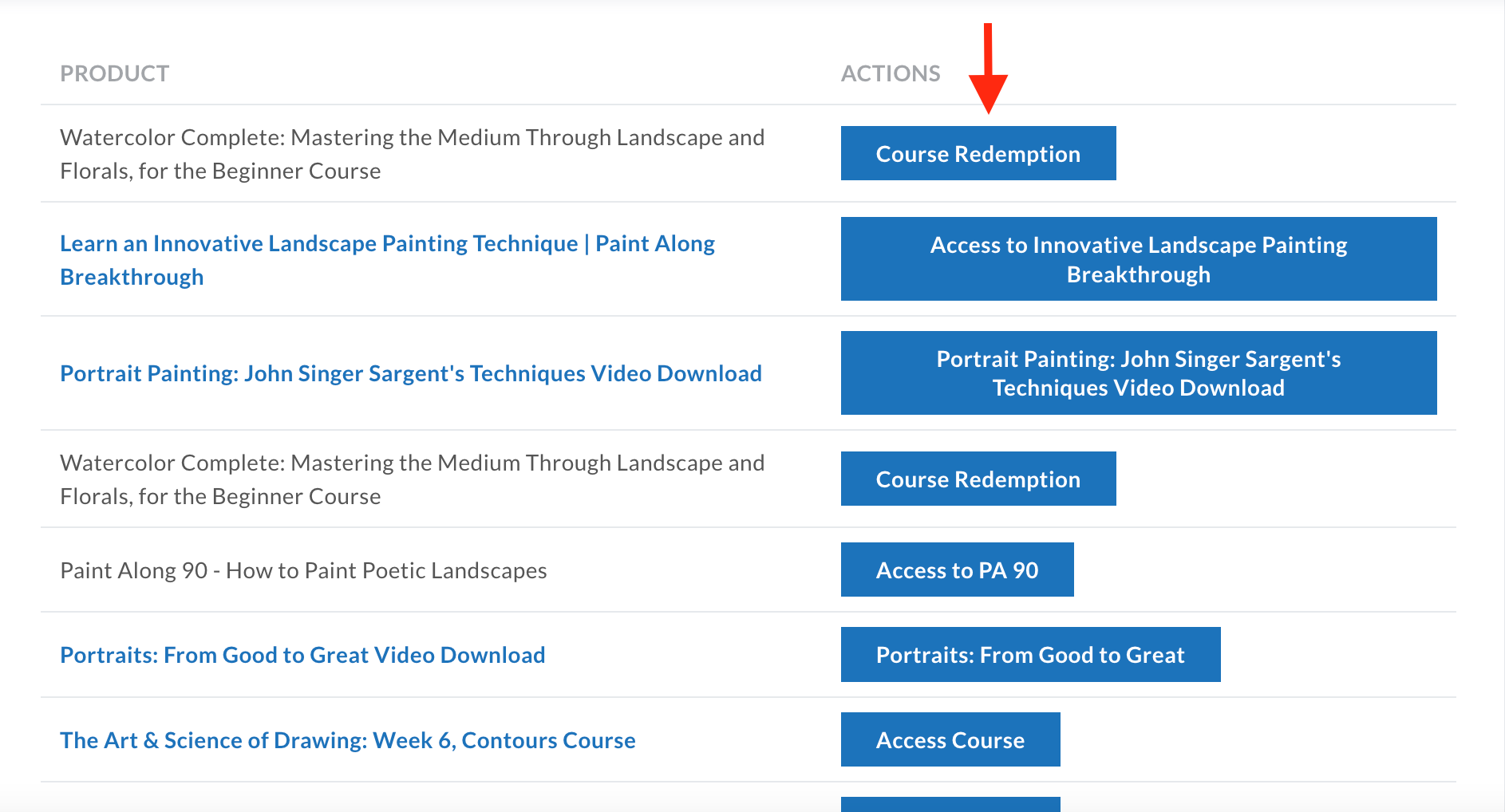
- Locate the workshop you wish to view in your list of downloads. Click on the Access Workshop link to the right of the title.
*Note: Workshop links are not downloadable, they will link you over to the workshop access page.
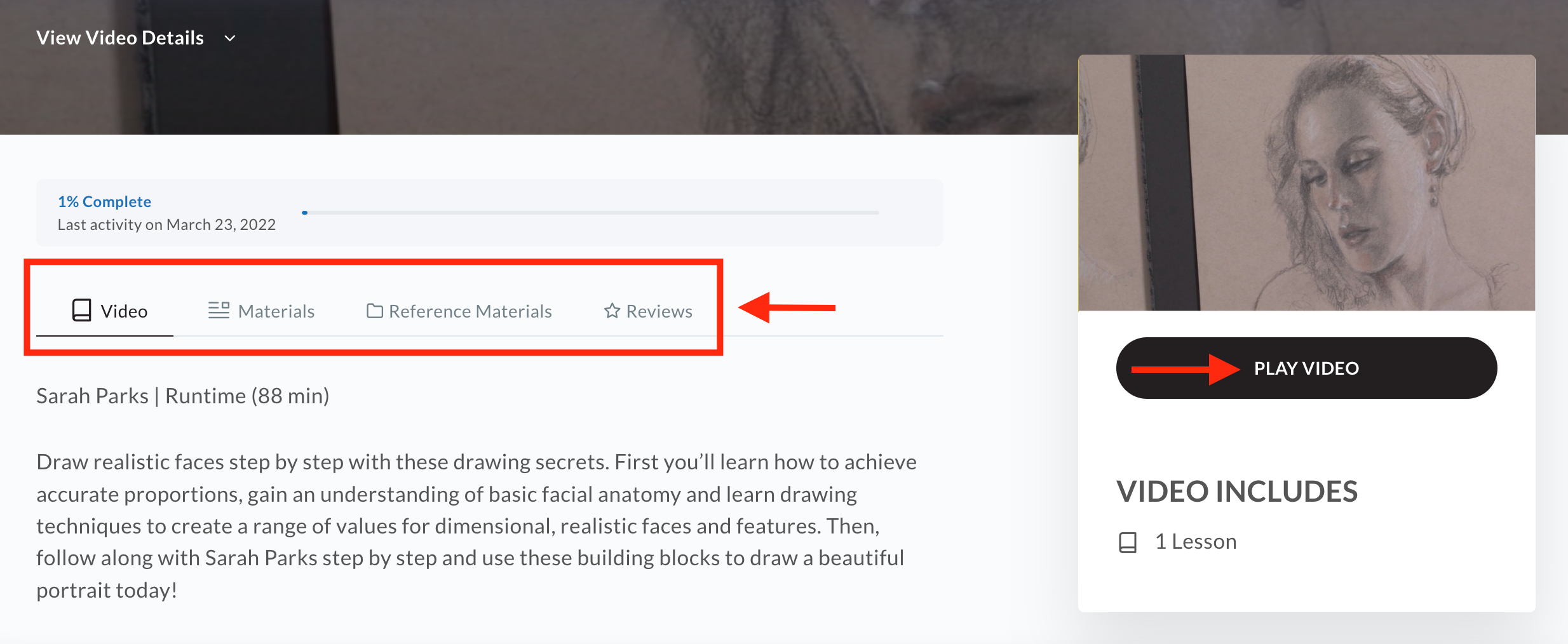
- This will link you over to the workshop detail page. From here you can read the workshop's description, view the Materials needed (if applicable), access the Reference Materials (if applicable), and read Reviews.
-Click Play Video start watching. If you have already started watching the video, you will see your completed percentage and last viewed date.
-To save reference material to your device:
*PC Users: Right click on the downloadable link, select the” Save Link As” option
*MAC Users: Hold the control key while clicking on the downloadable link and select the "Download Linked File” (Safari) or” Save Link As” (Chrome) option.
*Tablet/Smartphone: Hold down on downloadable link and select "Download Linked File" or” Save Link As” option. (Note: When using an iPad, the Safari browser will need to be used to get the option to save to your device)
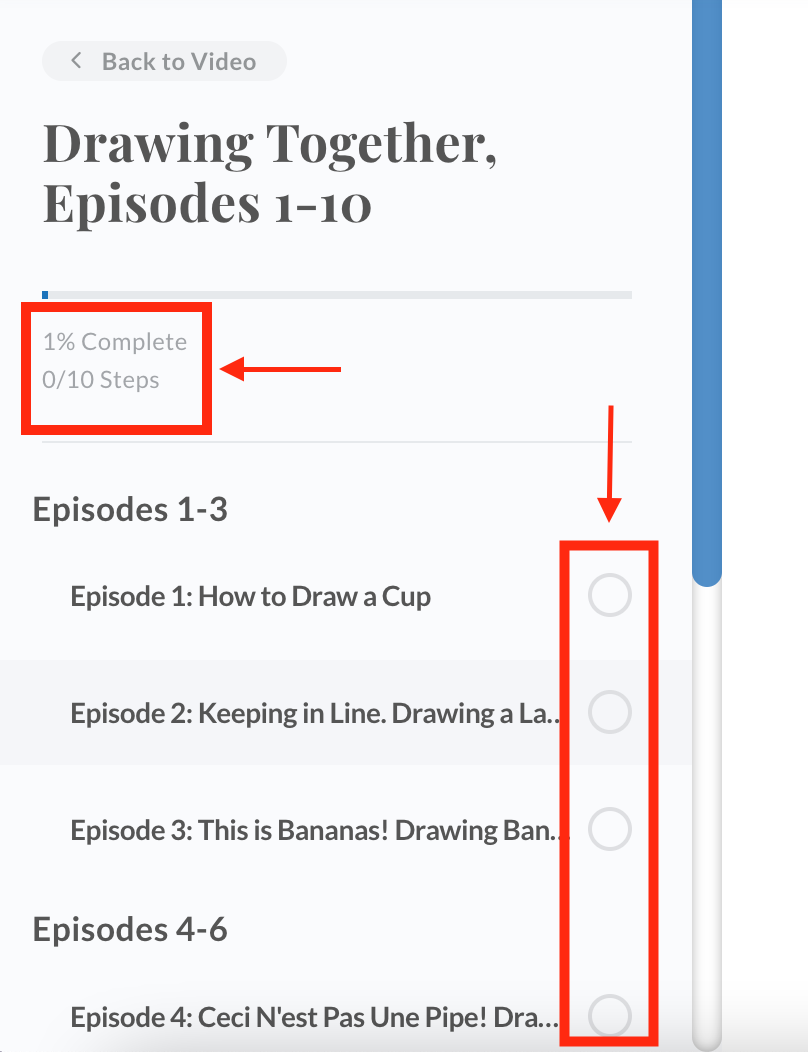
- From the video's left-hand menu, you can see the percentage of video completed. If multiple videos are included, you can jump from video to video.
-Video Bar Navigation:

A. Play/Pause video
B. Volume control
C. Closed Captioning (English only)
D. Make video full screen. Press ESC to exit full screen.