How to access your Sew Daily TV video subscription
Here is how to access your Sew Daily TV Video Subscription:
- Go to https://www.sewdaily.com/my-account/
- Sign in with your email/username and password.
- Click on 'Your Name', in the upper right and select Sew Daily TV Access.
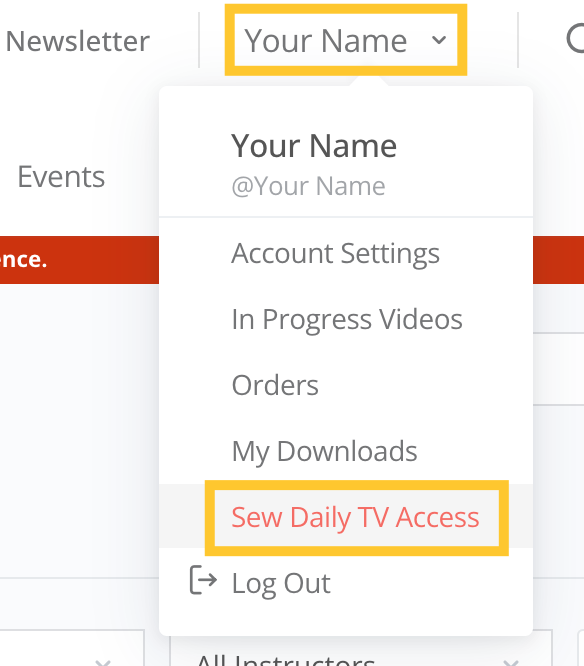
- This will bring you to the Sew Daily TV Workshop page.
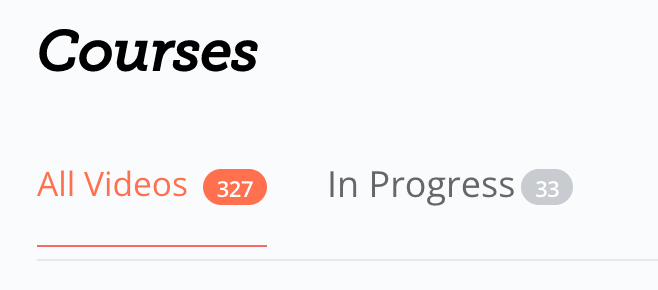
-All Videos: All available videos included with video subscription.
-In Progress: Finish What You Started. Videos now track your progress! Pick up where you left off.
-You can search or use filters to easily locate videos.

A. Search Videos: Find it faster. Search for videos by instructor, title or content.
B. Filter: Alphabetically, Newly Created, or by Progress you have completed.
C. Filter by Category: Select SDTV Videos category for included with subscription videos. Not all workshops are included with subscription when viewing other categories.
D. Filter by Instructor: Quickly find videos from specific experts. Instructions listed alphabetical by first name.
- Once you locate a video you are interested in, click on its image/title to see the video's details.
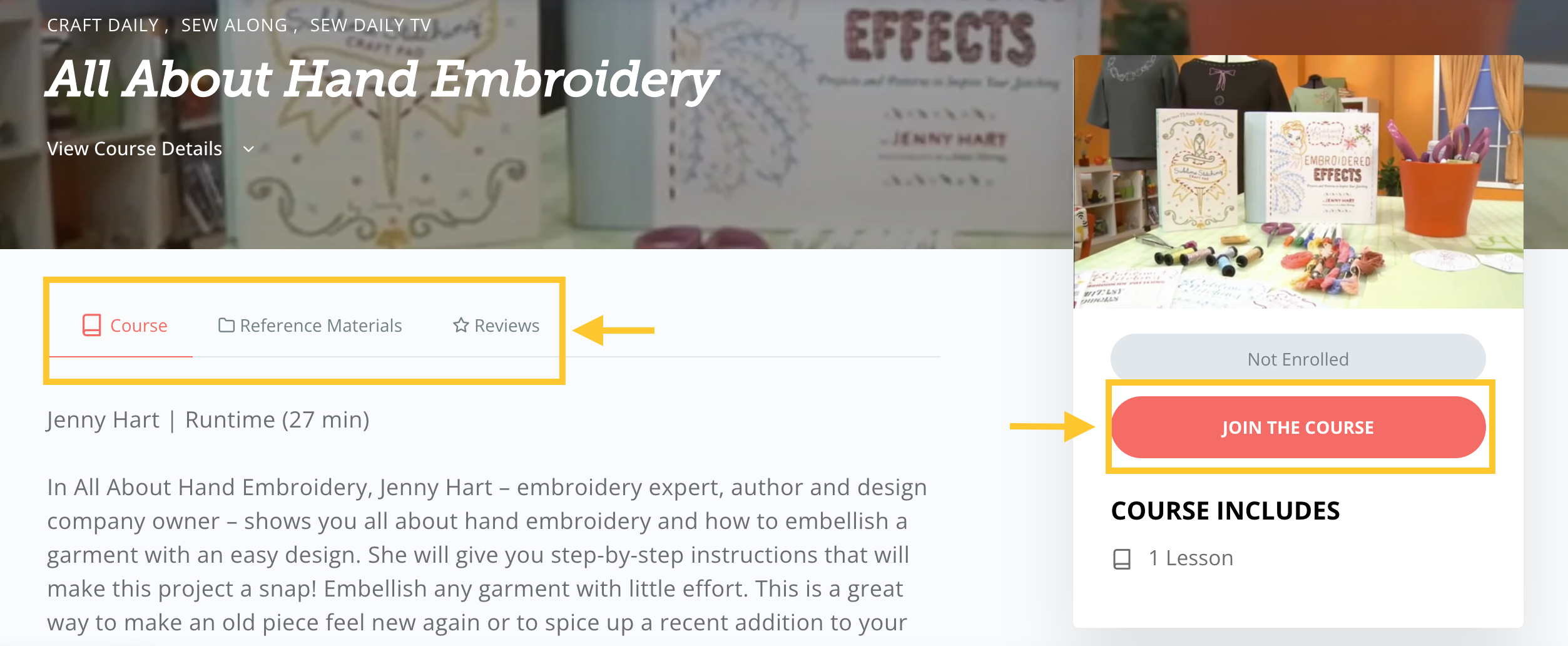
- From the Video Details page, you can read the workshop description, access the Reference Materials (if available), and read/leave Reviews.
-If you like what you see click Join the Workshop
-To save reference material to your device:*PC Users: Right click on the downloadable link, select the "Save Link As” option
*MAC Users: Hold the control key while clicking on the downloadable link and select the "Download Linked File” (Safari) or "Save Link As” (Chrome) option.
*Tablet/Smartphone: Hold down on downloadable link and select "Download Linked File" or "Save Link As” option. (Note: When using an iPad, the Safari browser will need to be used to get the option to save to your device)
- Click Play Workshop to start watching.
-Once you Join the Workshop it will also be located in your In Progress section. (See step 4)
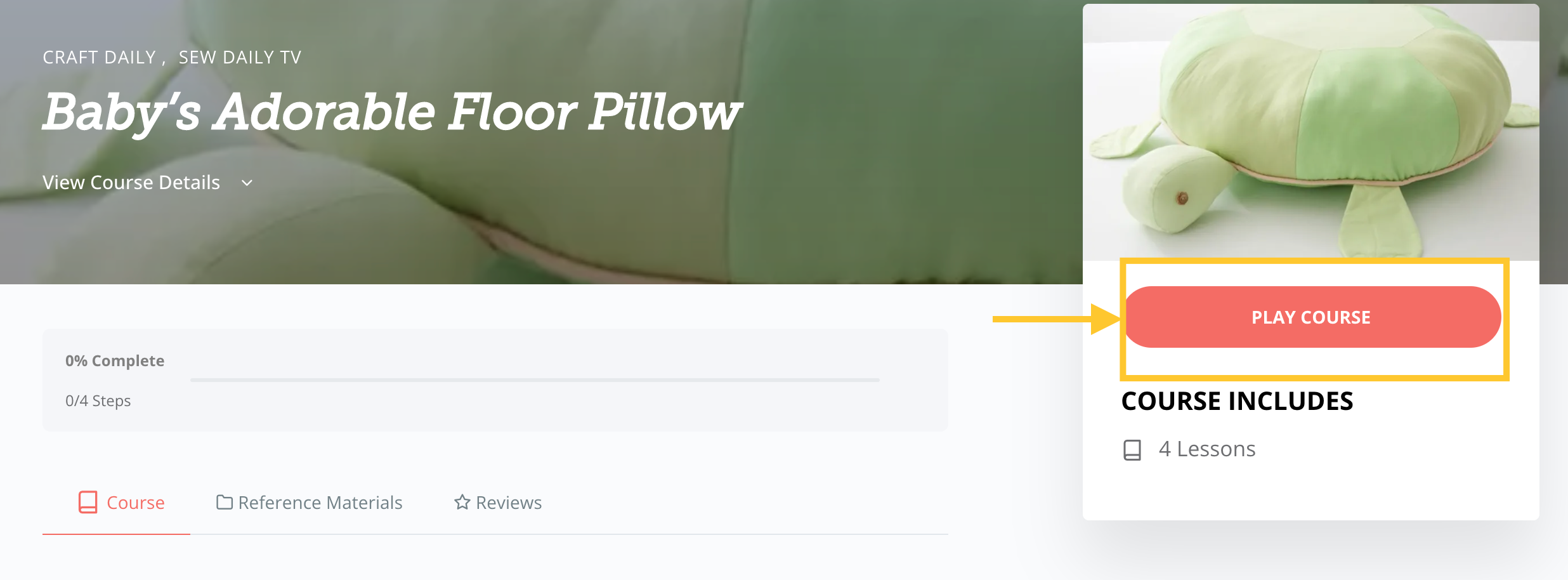
- From the video's left-hand menu, you can see the percentage of video completed. If multiple videos are included, you can jump from video to video. You can also navigate to the next video with the left and right arrows in the upper right.
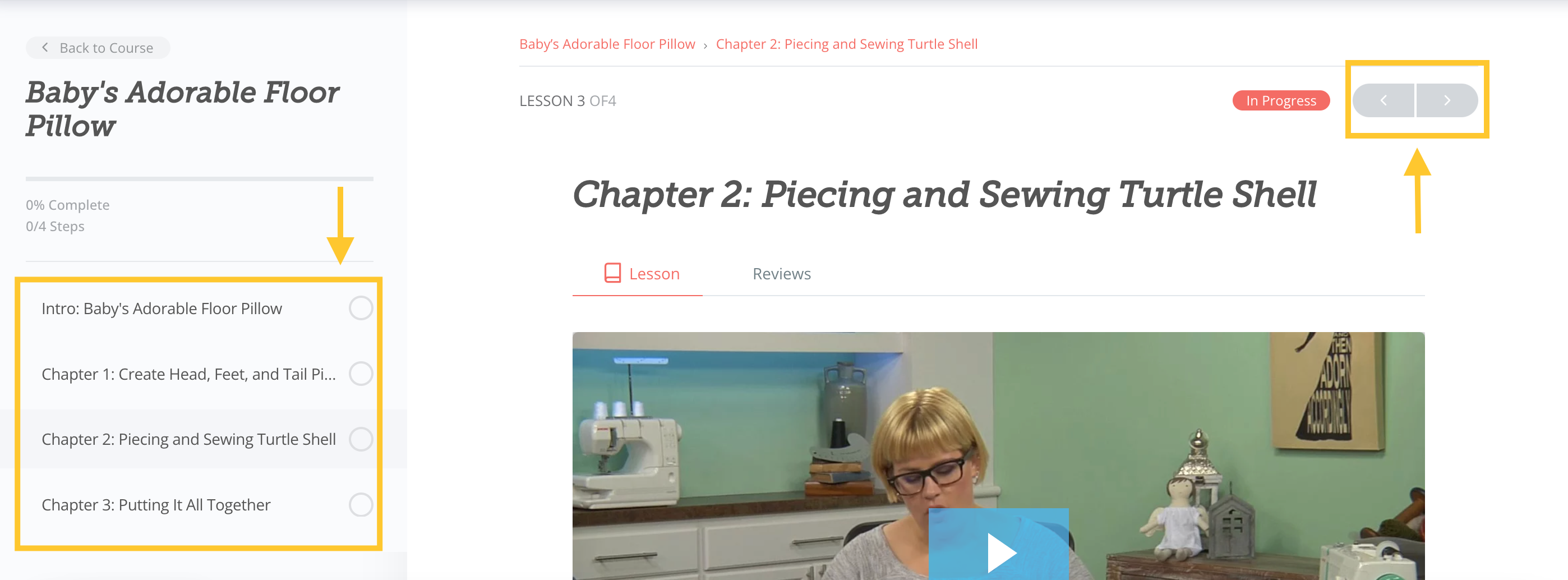
-Video Bar Navigation

A. Play/Pause video
B. Volume control
C. Closed Captioning (English only)
D. Make video full screen. Press ESC to exit full screen.
- Repeat steps 3-7 to find a new video.